Work/Arcade.dev
Case study ( 06 ) · Arcade.dev
Arcade.dev: a web console and an iOS app for running agents with confidence.
Arcade's console had the engine but not the story: what needs me, why it failed, what is allowed. I redesigned it around first success, then trust, then control.
Agents keep working when you are away from your desk. I designed an iOS companion to approve changes, find what broke, and cap spend, all from the phone.
01Overview
An engine that works, and a console that hides it.
Arcade sits between AI agents and the systems they work in. It authorizes as the user, runs tools, and logs every call. The public prototype and docs covered setup well. The real dashboards sit behind a login, so I designed from the prototype, the docs and public feedback.
My roleResearch, flows, system.
Research and framing
Docs, prototype and public feedback turned into a gap list.
Flows and screens
Six flows, every state: empty, error, blocked, conflict.
Design system
Tokens, status language, verbs and nouns, agent icons.
02Problem
Developers need a first win, then control.
The same console serves a developer on day one and a security lead on day ninety. The first needs a working call in minutes. The second needs approvals, rules she can test, and an audit trail. Showing both at once buries both.
Critical journeysFour, in the order people need them.
The four journeys
- 01
Make a first call
Role fork, Quickstart, detected first call.
- 02
Find why a run failed
From a failed run to the cause and the fix.
- 03
Share tools by gateway
Pick tools, create, connect a client.
- 04
Govern what agents do
Draft rules, simulate, approve.
03Hypothesis
Lead with the first call, then reveal control as people grow into it.
The same console serves a developer on day one and a security lead on day ninety, and showing both at once buries both. The bet: start with a working call in minutes, and let navigation, rules and approvals appear as the person needs them.
None of it has been tested with users yet. The last section lists what to measure.
04Solution
Lead with value, then reveal the rest.
The console starts with a role fork and a Quickstart that detects the first call. Navigation grows as you do: Governance unlocks after the first successful call. The dashboard then answers one question first: what needs me?
ConnectAuthorize where the work happens.
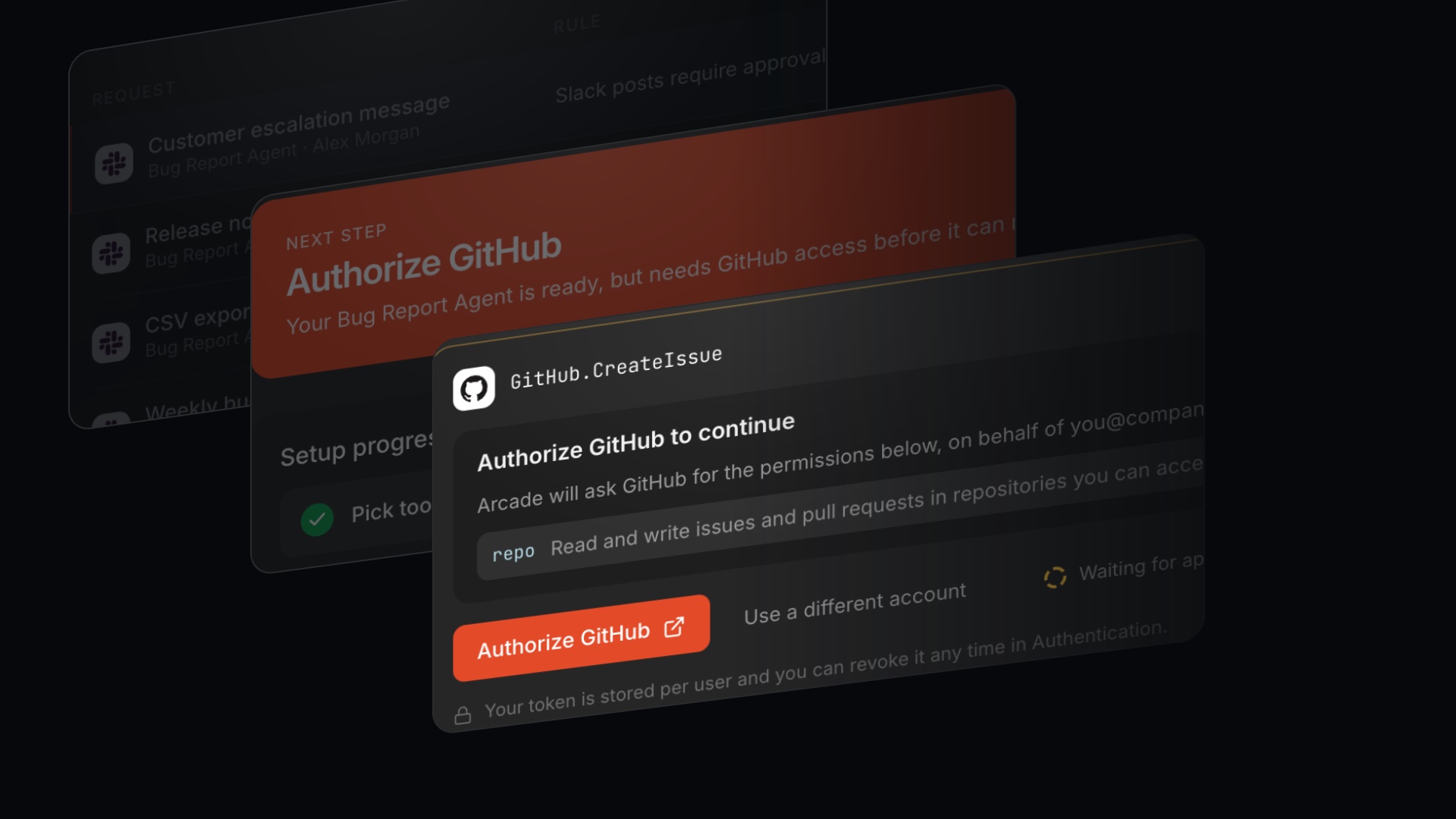
Per-user authorization is handled where it happens, inside the Playground conversation, instead of sending someone to a settings page. Connected accounts show their status with the fix beside it, and a gateway publishes one MCP URL that clients connect to.
Debug a runThe page names the cause and the next step.
A failed run opens on a trace that says what stopped it. A held call and an expired login are different problems, so each gets its own state and its own verb: Review for a call that needs a person, Re-authorize for access that expired.
Status languageColor means a state, never decoration.
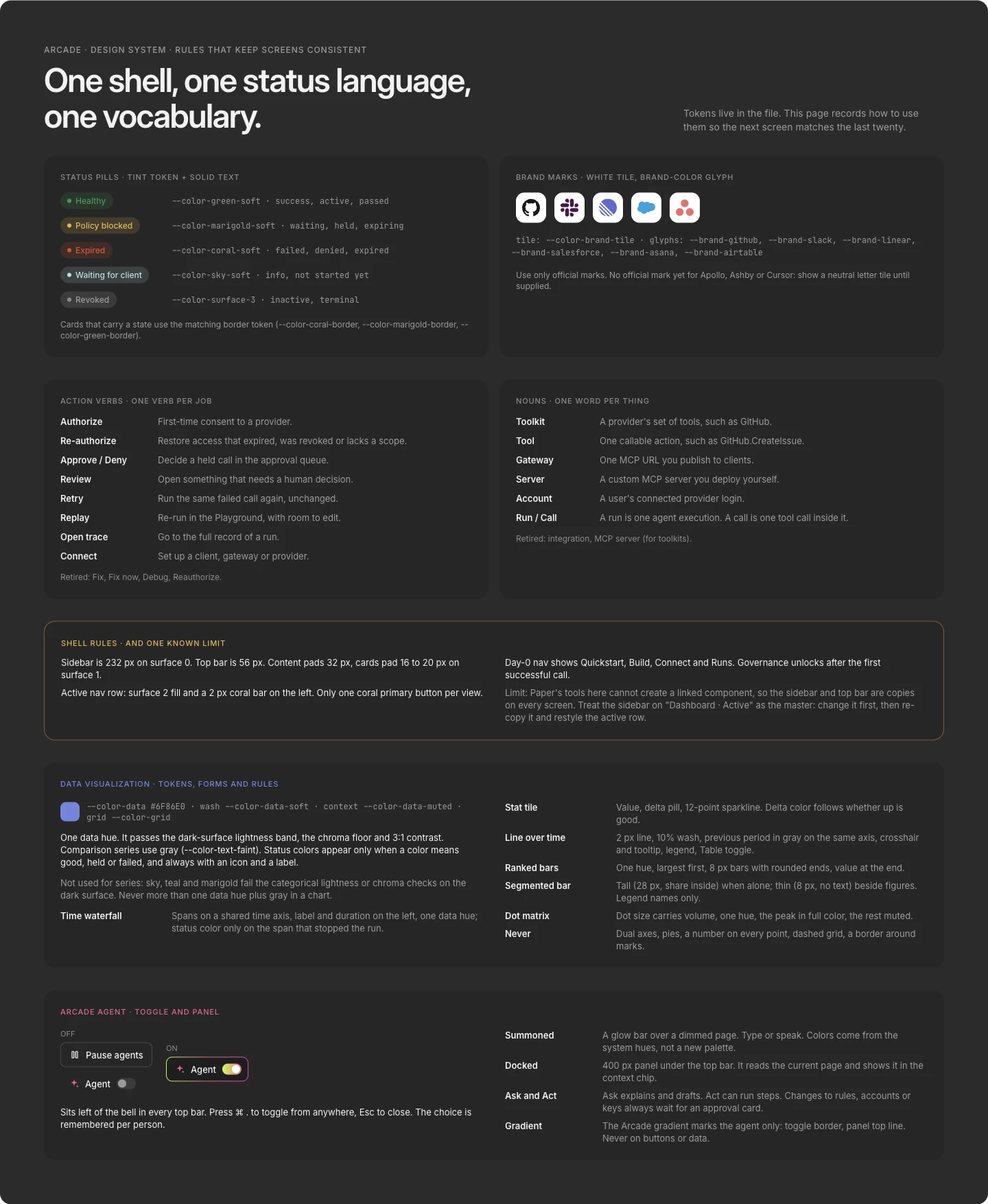
One data hue plus gray for charts. Status colors only when they carry meaning, always with an icon and a label. The same tokens run the console and the phone, so a held call looks the same everywhere. Verbs are fixed too: Authorize, Review, Retry, Replay.

GovernRules you can test before they go live.
Policies are edited as drafts, simulated against live rules and the last seven days, and blocked from publishing while they conflict. The approval queue ranks what needs a person, with bulk review for the dull cases. Approvals are the part the public docs do not cover, so it got the most care.
CostPer-call pricing needs a speedometer.
Public feedback pointed at cost as the likeliest surprise. Usage and budget shows spend against a budget, the pace to month end, and the agent running hot, with a cap one click away. At the limit, new calls are held, not dropped.
Arcade AgentIt reads the page, drafts the change, and waits for approval.
A toggle in every top bar, or the keyboard shortcut, summons it. It reads the current page and drafts changes, and changes to rules, accounts or keys always wait for an approval card.
Design systemOne language across 54 screens.
Dark graphite surfaces, one coral action per view, Inter for the interface and a mono face for code. Fixed verbs and nouns, status pills with icons and labels, brand marks on white tiles. Built as tokens first so the console, the phone and the code can share them.
05Learning
What it is built to change.
A design concept, so these are targets to measure, not results. Nothing has been tested with users yet, and numbers on screens are placeholders.
To test: how fast new workspaces reach a detected call, how often the simulator catches a rule mistake before it is published, and whether the 80% warning prevents bill surprises and held-call confusion.
01Overview
A console is no help when you are away from the desk.
Arcade runs agents that act in Slack, GitHub and Salesforce on a person's behalf. When one is held for approval or a login expires, the person is often not at a laptop. The docs and public prototype said nothing about mobile, so I worked from the console's flows and public feedback to decide what belongs on the phone.
My roleResearch, flows, system and prototype.
Research and framing
Read the docs, the prototype and public feedback. Wrote the gaps down as a to-do list I could design against.
Flows and screens
Mapped eleven mobile flows, then designed every screen and state in Paper.
System and prototype
Built tokens, status language and agent icons, then a clickable iPhone prototype of the whole app.
02Problem
Make control feel quick and calm.
Approvals were missing from the docs, nothing was designed for someone away from a laptop, and per-call pricing made cost a likely surprise. The phone had to answer three questions fast: what needs me, what broke, and what is it costing?
Critical journeysFour moments decide trust.
I started from what a person is trying to do on a small screen, not from the console's feature list. Each journey got its own flow and success measure.
The four journeys
- 01
Pair and protect
Pair with the console, turn on Face ID and notifications.
- 02
Find why a run failed
From a failed run to the cause and the fix, on one screen.
- 03
Decide when alerted
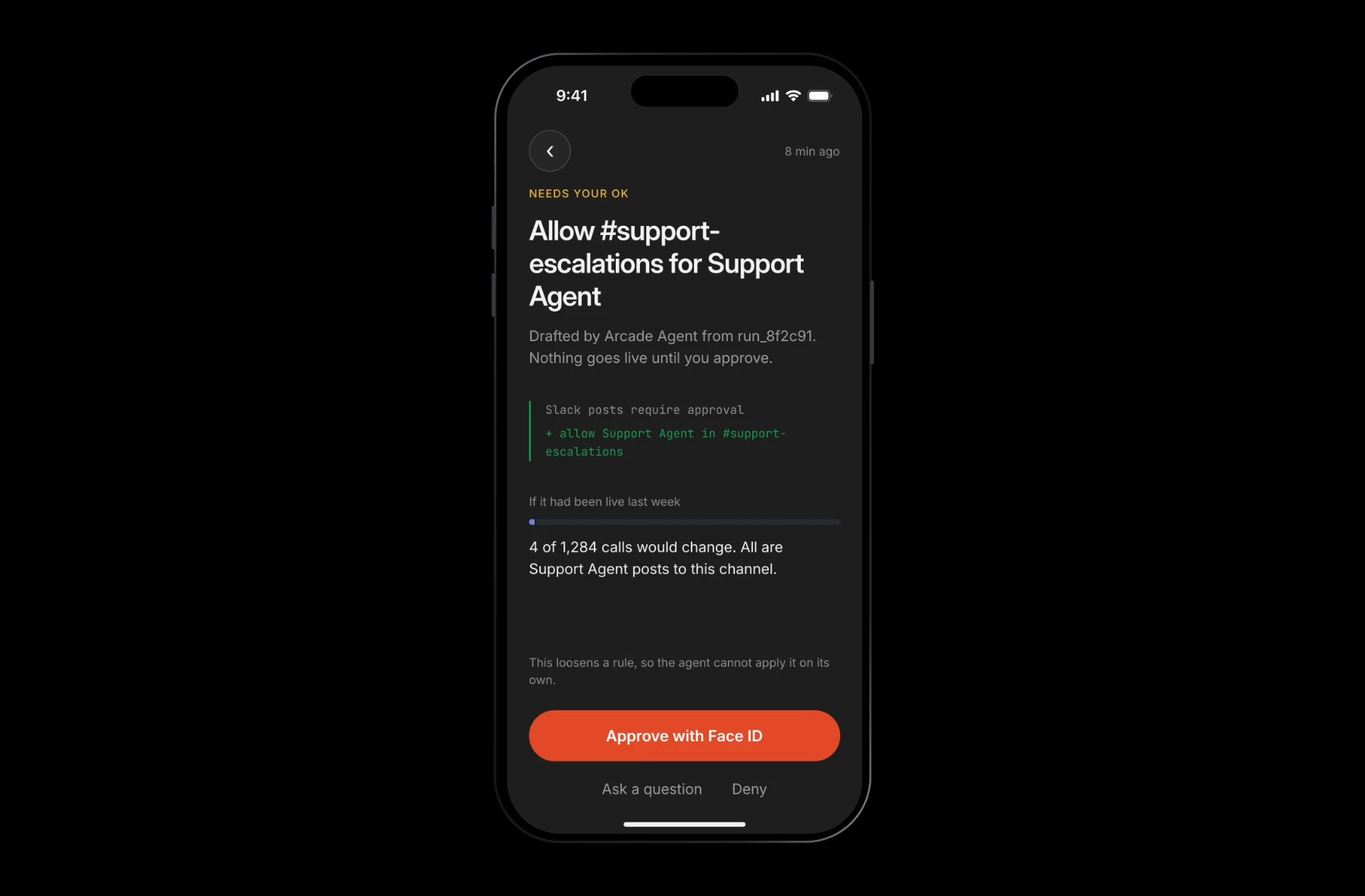
A push arrives. Read what would change, approve with Face ID.
- 04
Control what agents can do
Pause everything or cap spend in one tap.
03Hypothesis
On a phone, answer three questions fast and hand the rest to the laptop.
The phone has to answer what needs me, what broke, and what it is costing. The bet: an Inbox and a chat, not a shrunken console, with Face ID for anything that loosens a rule and a handoff to the laptop for big jobs.
It is a design concept, so this is a hypothesis to test, not a result.
04Solution
If you have no laptop, you can still run it.
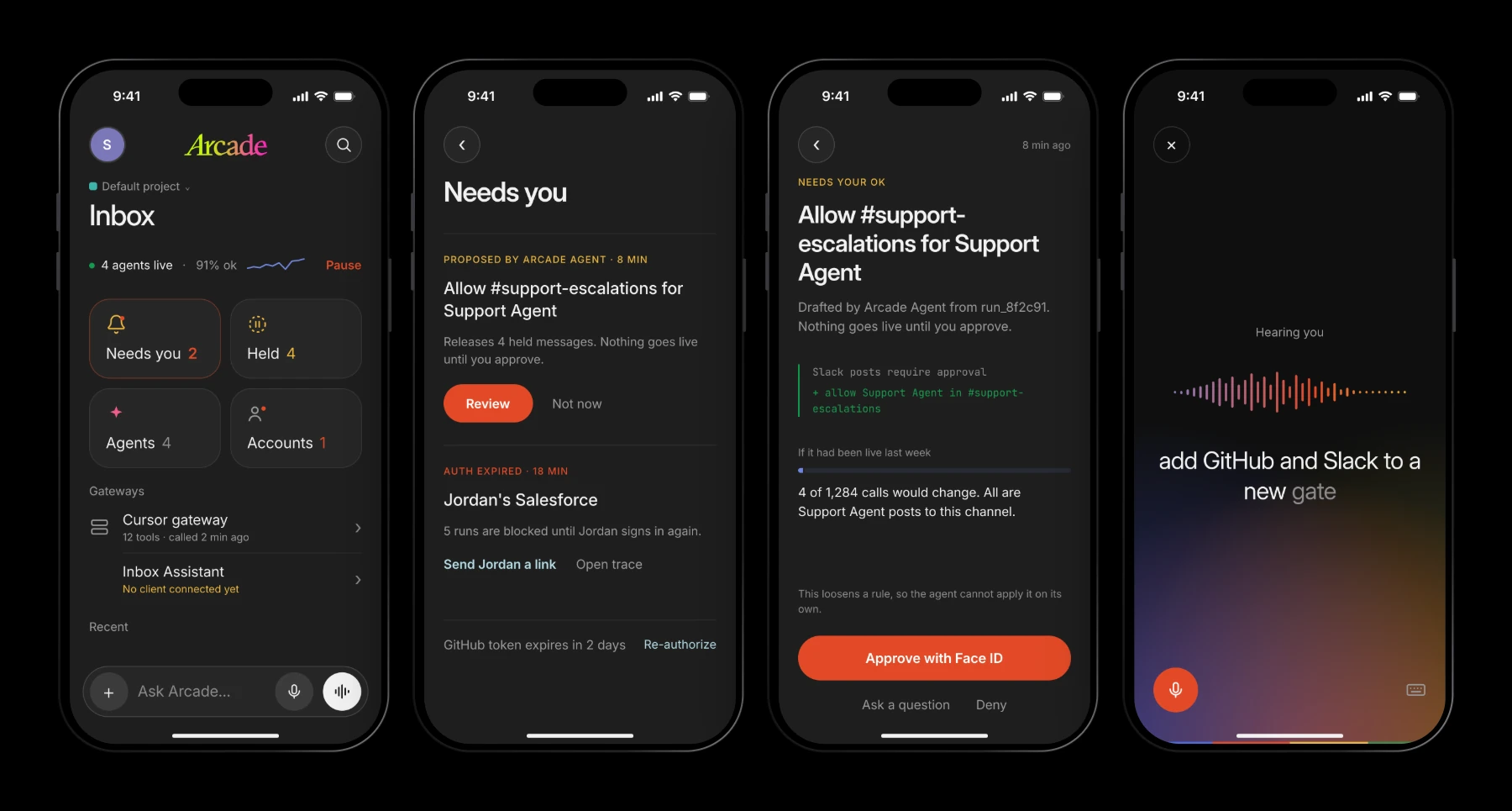
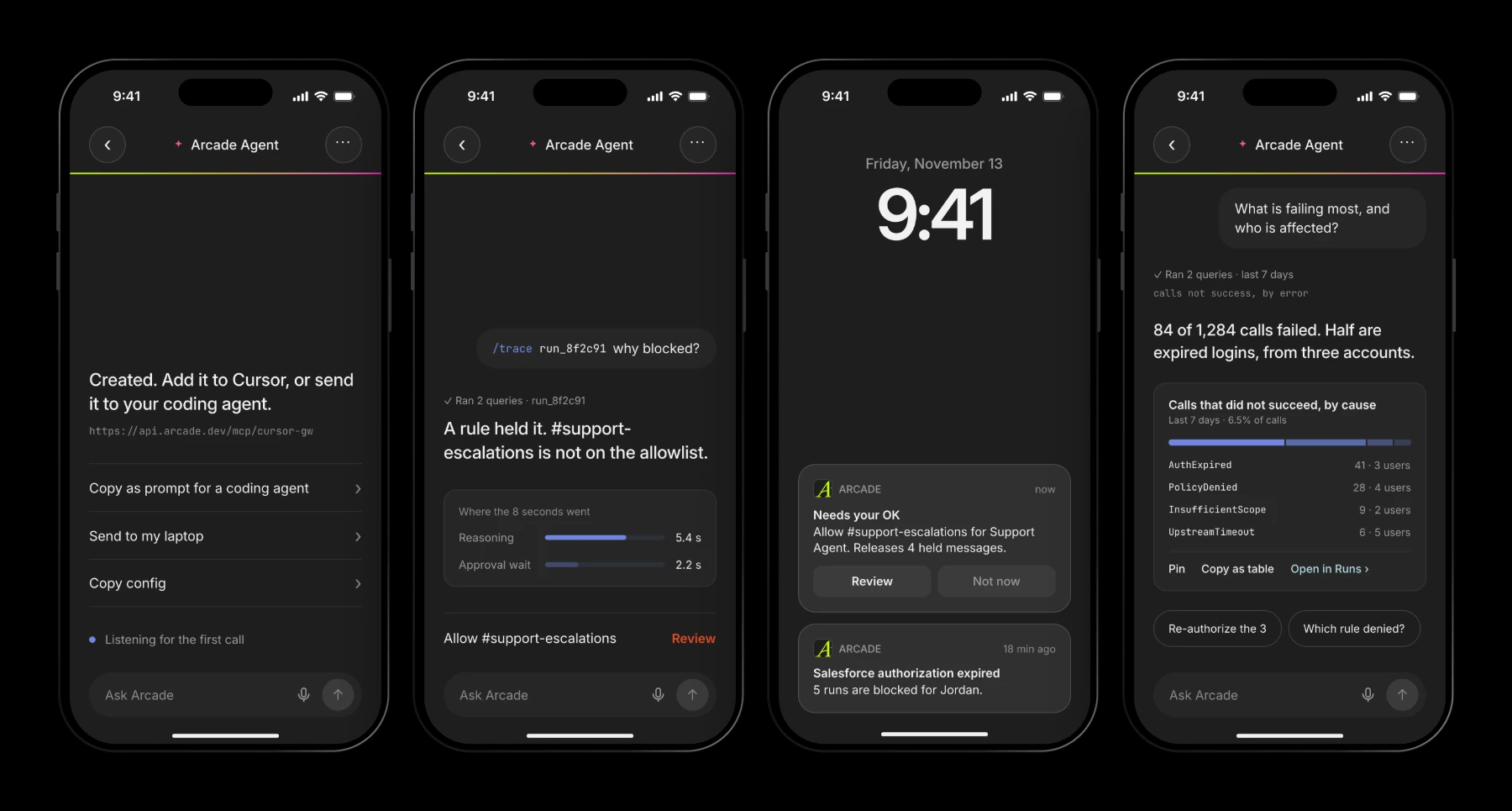
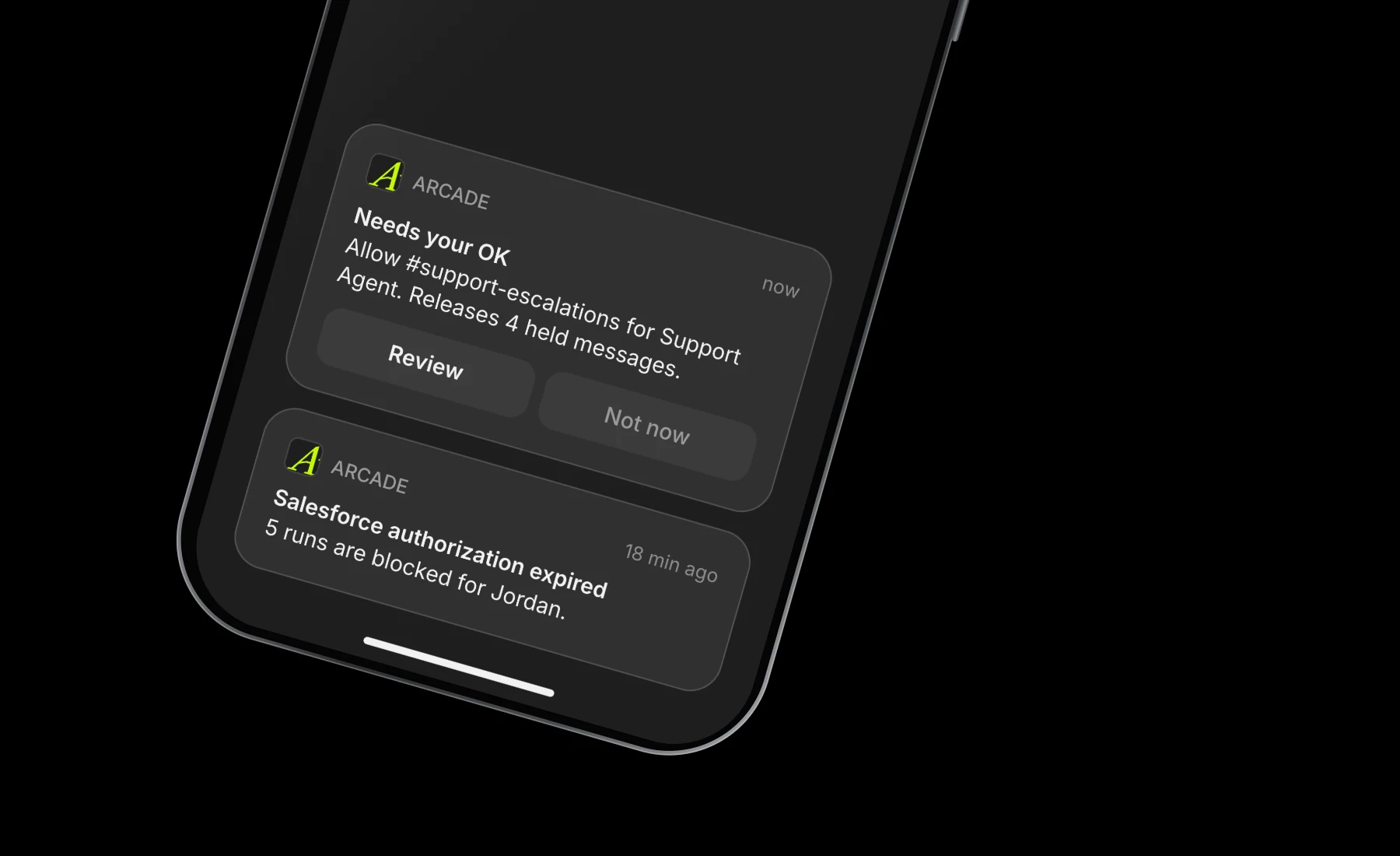
The phone is not a shrunken console. It is an Inbox: what needs you, what is held, what broke. Chat is the main surface, answers come back as one fitting chart, and anything that loosens a rule needs Face ID. When a job needs a big screen, it hands off to the laptop.
Make cost visiblePer-call pricing needs a speedometer.
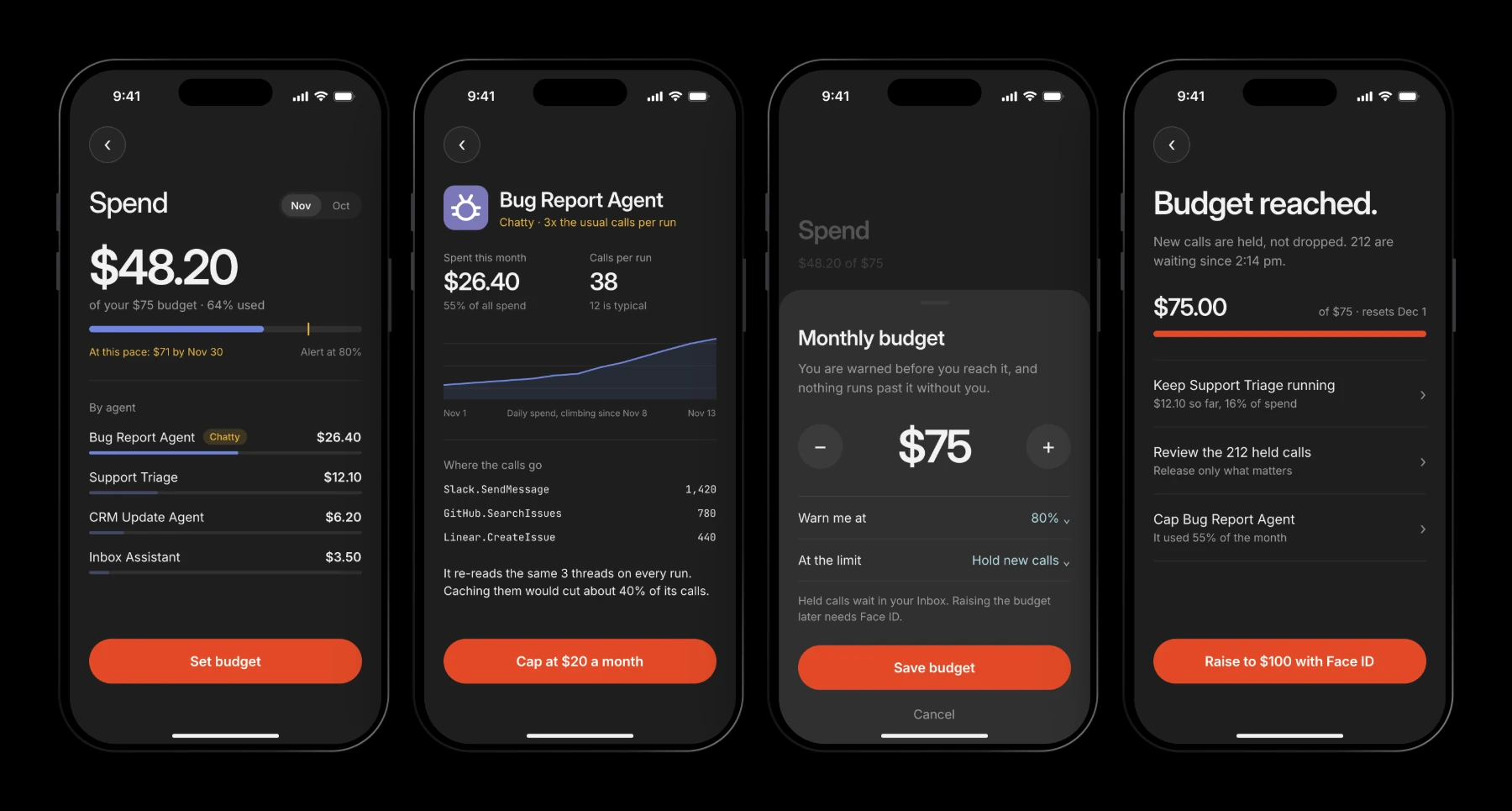
Public feedback pointed at cost as the likeliest surprise. Spend shows the budget, the pace to month end and the agent running hot, with a cap one tap away. At the limit, new calls are held, not dropped.
One ring, five gesturesAgents get faces, so a list reads at a glance.
Letter tiles all looked alike. Each agent now has its own mark: one ring, one gesture. A split ring for triage, antennae for bugs, a turning arrow for updates, a tray for the inbox, a gradient spark for Arcade's own agent.

The design systemAiry, dark, and one action at a time.
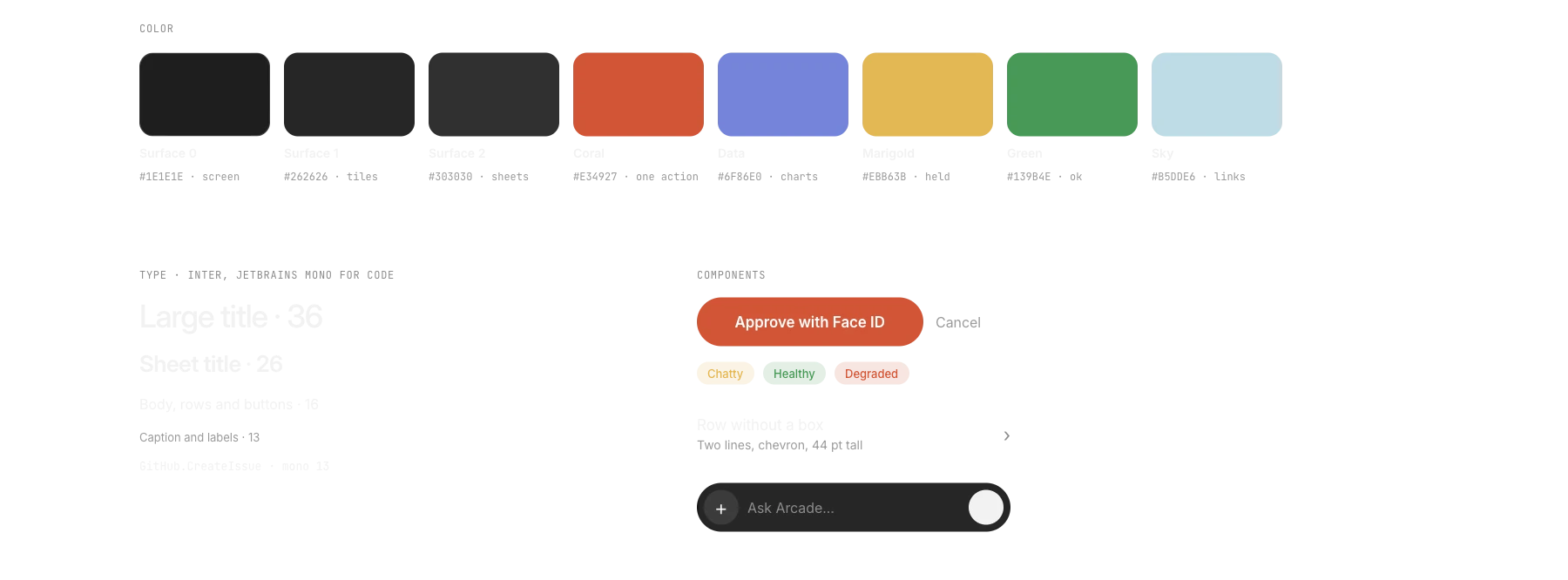
The phone shares tokens with the console but spends them differently: 24 pt margins, large titles, rows without boxes, and a single coral button per screen. Every tap target is at least 44 pt, and sheets use the iOS grabber and corner radius.
05Learning
What it is built to change.
This is a design concept, so these are targets I would measure, not results. Nothing here has been tested with users yet, and sample numbers on screens are placeholders.
To test: where people drop off while pairing, how long it takes to decide from a push and how often people ask a question first, and whether the 80% warning, with new calls held and not dropped, prevents bill surprises.